
English
How to Migrate From Shopify to Excel-to-Store
Step 1: Export Shopify Data
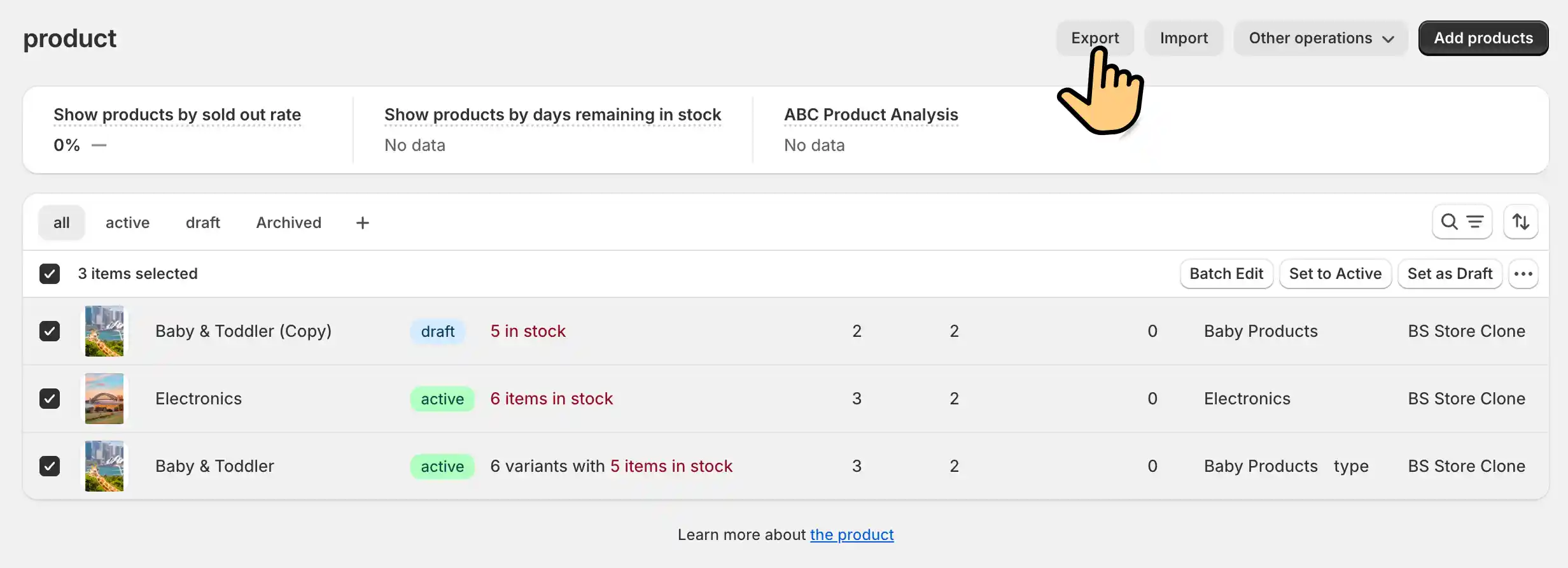
Navigate to the "Products" page in your Shopify admin, click the "Export" button, and choose CSV format to export your product data.
Step 2: Process the CSV File
Open the exported CSV file using Excel or Google Sheets and ensure the data format meets Excel-to-Store requirements.
Step 3: Import Product Data
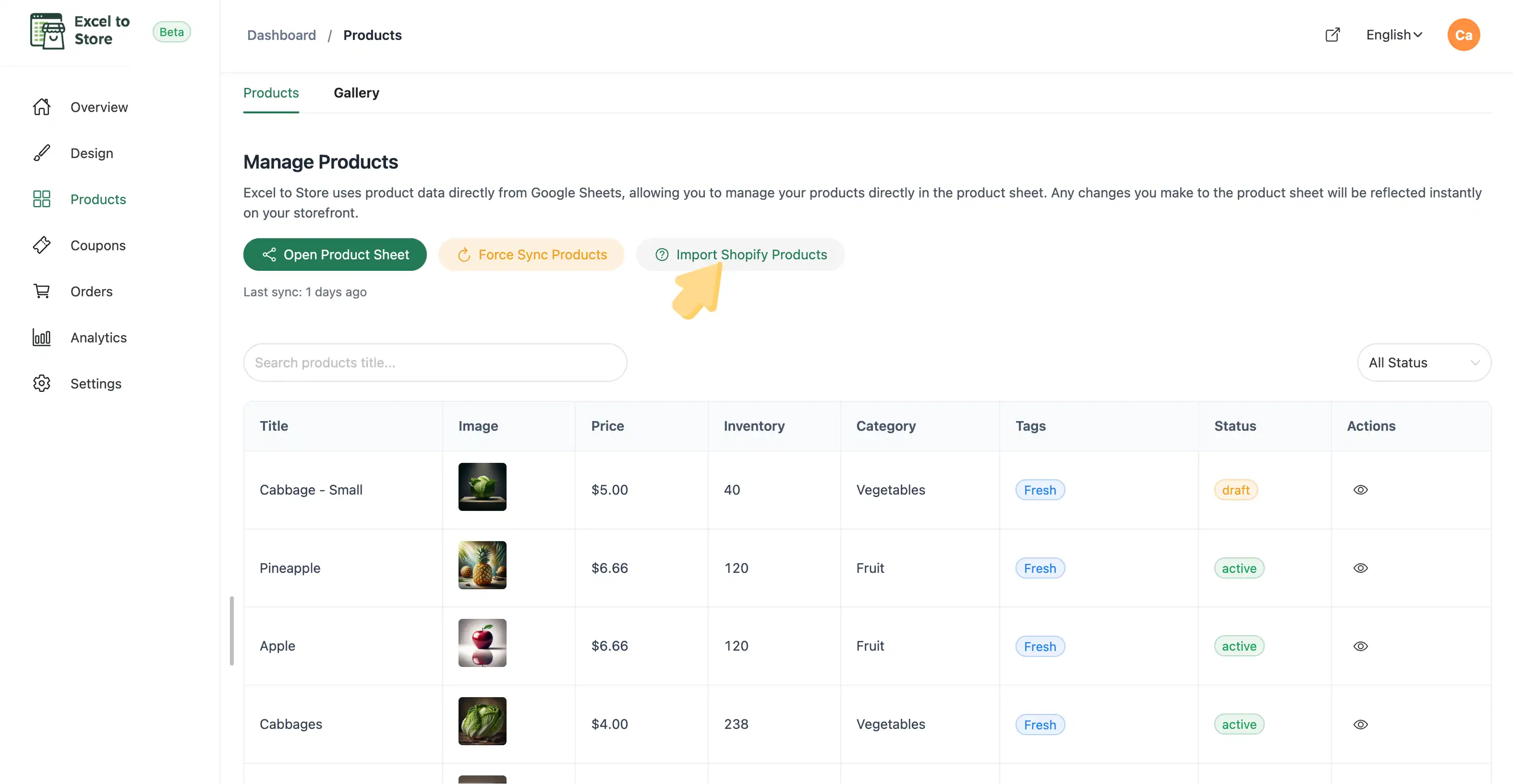
In your Excel-to-Store dashboard, navigate to the "Products" page, click the "Import" button, and upload your processed CSV file.
Step 4: Confirm and Test
After importing, check that your product data is displayed correctly. Preview your store and make a test order to ensure everything works properly.